Stop Worrying About URA EFRIS Penalties — Here’s How Dynamics 365 Has You Covered
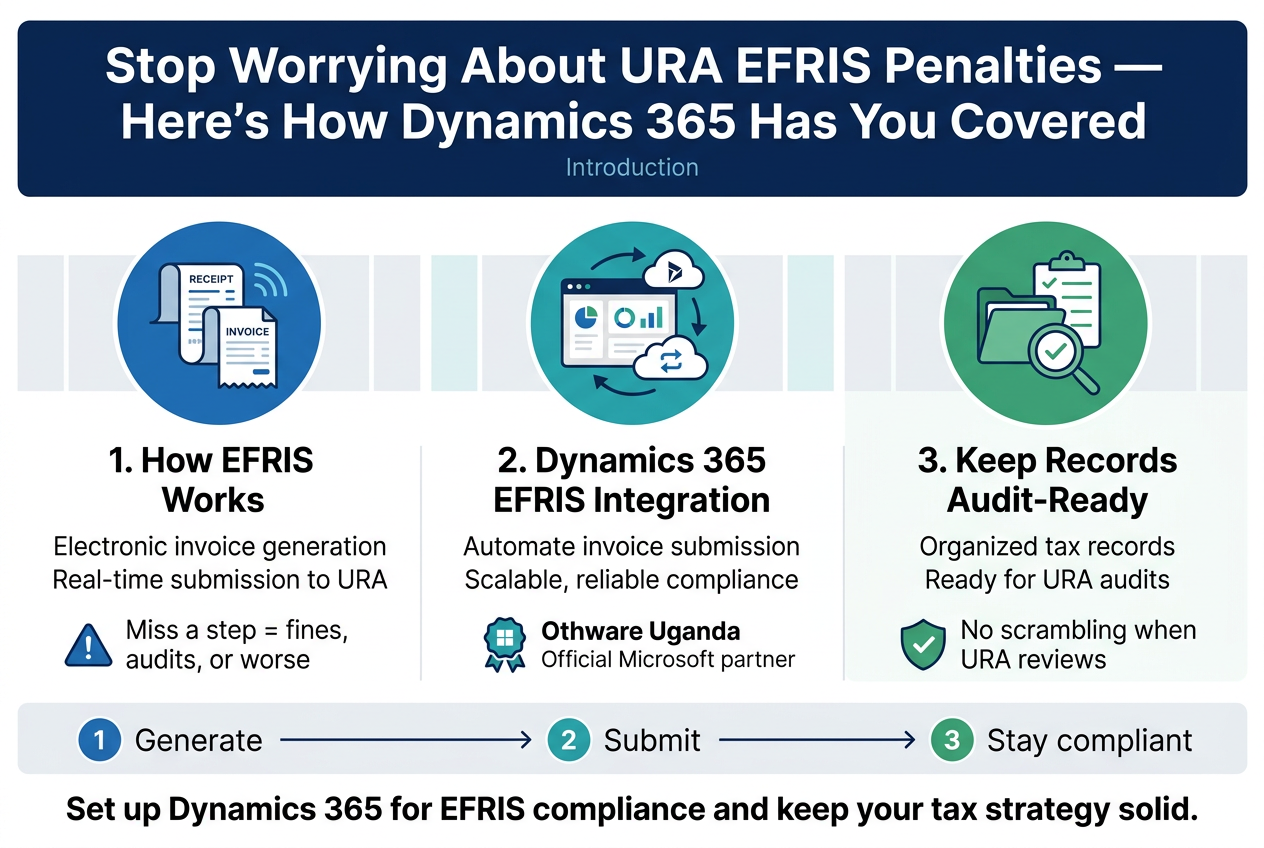
If you run a business in Uganda, URA EFRIS compliance is no longer optional. The Uganda Revenue Authority’s Electronic Fiscal Receipting and Invoicing Solution (EFRIS) requires every registered taxpayer to generate and submit invoices electronically — in real time. Miss a step, and you’re looking at fines, audits, or worse.
This guide is for finance managers, IT leads, and business owners who want a reliable, scalable way to handle EFRIS invoice automation in Uganda without patching together workarounds or chasing manual submissions.
Here’s what we’ll walk through:
- How EFRIS actually works and what full compliance looks like in practice
- Why Microsoft Dynamics 365 EFRIS integration is one of the cleanest ways to automate invoice submission to URA — and how Othware Uganda, an official Microsoft partner, helps businesses get it right
- How to keep your records audit-ready so that when URA comes knocking, you’re not scrambling
By the end, you’ll have a clear picture of how to set up Dynamics 365 for EFRIS compliance and keep your tax strategy solid — today and as regulations evolve.
Let’s get into it.
Understanding URA EFRIS and Its Compliance Requirements
What EFRIS Is and Why It Matters for Your Business
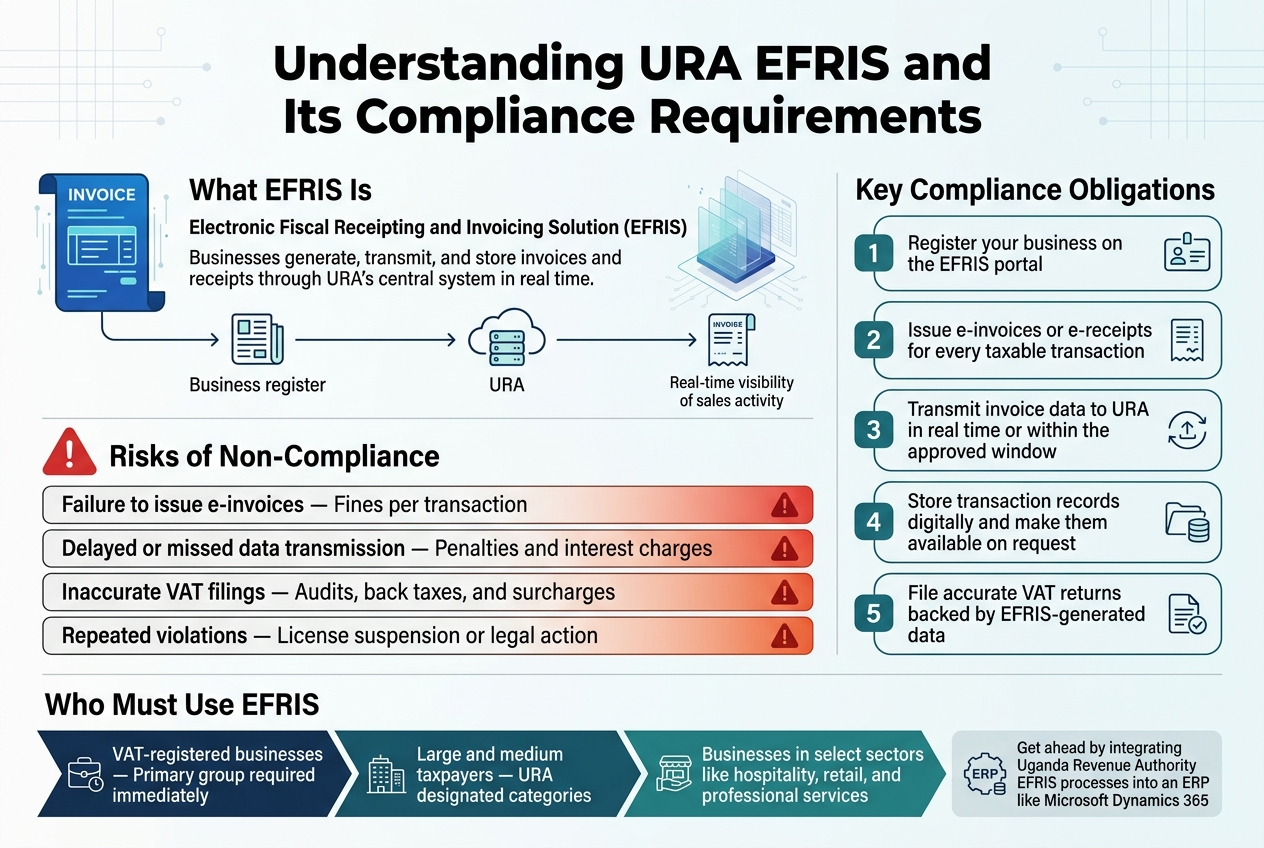
The Electronic Fiscal Receipting and Invoicing Solution (EFRIS) is a system introduced by the Uganda Revenue Authority (URA) to digitize how businesses generate, transmit, and store invoices and receipts. Every transaction runs through URA’s central system in real time, giving tax authorities full visibility into your sales activity.
For businesses, this means no more manual receipts flying under the radar. EFRIS creates a direct, transparent link between your billing process and URA — and that changes how you need to run your day-to-day operations.
Key Compliance Obligations Every Taxpayer Must Meet
If you’re operating under EFRIS, here’s what you’re expected to do:
- Register your business on the EFRIS portal
- Issue e-invoices or e-receipts for every taxable transaction
- Transmit invoice data to URA in real time or within the approved window
- Store transaction records digitally and make them available on request
- File accurate VAT returns backed by EFRIS-generated data
Missing any of these steps — even occasionally — creates compliance gaps that can trigger audits or penalties.
Penalties and Risks of Non-Compliance with URA EFRIS
Ignoring URA EFRIS compliance isn’t just a regulatory headache — it carries real financial consequences:
| Risk | Impact |
|---|---|
| Failure to issue e-invoices | Fines per transaction |
| Delayed or missed data transmission | Penalties and interest charges |
| Inaccurate VAT filings | Audits, back taxes, and surcharges |
| Repeated violations | License suspension or legal action |
Beyond fines, non-compliance damages your credibility with URA, making future tax processes slower and more painful.
Who Is Required to Use EFRIS in Uganda
URA has rolled out EFRIS in phases, targeting:
- VAT-registered businesses — the primary group required to comply immediately
- Large and medium taxpayers under URA’s designated categories
- Businesses in select sectors like hospitality, retail, and professional services
URA continues expanding the EFRIS mandate, so even if your business isn’t yet required to comply, that window is closing. Getting ahead of the requirement — especially by integrating Uganda Revenue Authority EFRIS processes into an ERP like Microsoft Dynamics 365 — saves you from a last-minute scramble when the obligation lands at your door.
Why Microsoft Dynamics 365 Is the Ideal Solution for EFRIS Compliance
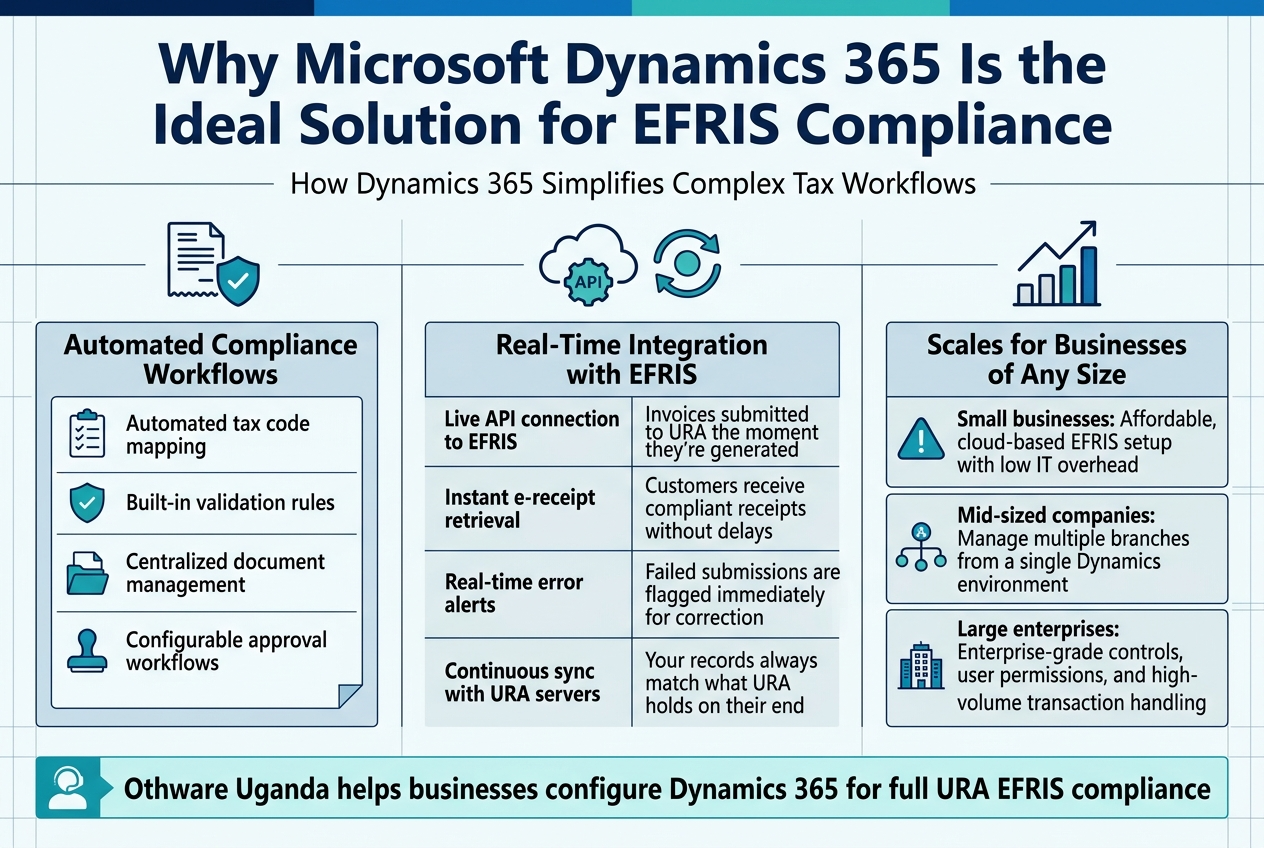
How Dynamics 365 Simplifies Complex Tax Workflows
Managing tax workflows manually is a nightmare — missed invoices, data mismatches, and last-minute scrambles before audits. Microsoft Dynamics 365 cuts through that chaos by embedding URA EFRIS compliance directly into your day-to-day business operations.
Key ways Dynamics 365 simplifies tax workflows:
- Automated tax code mapping — transactions are automatically tagged with the correct tax categories, eliminating manual errors
- Built-in validation rules — invoices are checked against URA requirements before submission, catching issues early
- Centralized document management — all fiscal receipts and invoices live in one place, making retrieval fast and simple
- Configurable approval workflows — set up multi-step approvals that match your internal controls without slowing down operations
With Dynamics 365 ERP compliance tools, your finance team spends less time chasing data and more time making decisions that actually matter.
Real-Time Integration Capabilities That Keep You Compliant
One of the biggest compliance risks businesses face is the gap between when a transaction happens and when it gets reported to URA. Dynamics 365 closes that gap through real-time API integration with the EFRIS platform.
Here’s what that looks like in practice:
| Capability | Benefit |
|---|---|
| Live API connection to EFRIS | Invoices submitted to URA the moment they’re generated |
| Instant e-receipt retrieval | Customers receive compliant receipts without delays |
| Real-time error alerts | Failed submissions are flagged immediately for correction |
| Continuous sync with URA servers | Your records always match what URA holds on their end |
This level of automated invoice submission to URA removes the compliance risk that comes with batch processing or end-of-day uploads. When something goes wrong, you know right away — not during an audit.
Scalability to Support Businesses of Any Size
Whether you’re running a single-location SME or a multi-entity business across Uganda, Dynamics 365 scales to fit your structure without requiring a system overhaul every time you grow.
- Small businesses get affordable, cloud-based EFRIS setup with low IT overhead
- Mid-sized companies can manage multiple branches from a single Dynamics environment
- Large enterprises get enterprise-grade controls, user permissions, and high-volume transaction handling
As a trusted Microsoft partner in Uganda, Othware Uganda helps businesses at every stage configure Dynamics 365 for full URA EFRIS compliance — tailored to your size, industry, and growth plans.
Setting Up Microsoft Dynamics 365 for EFRIS Integration
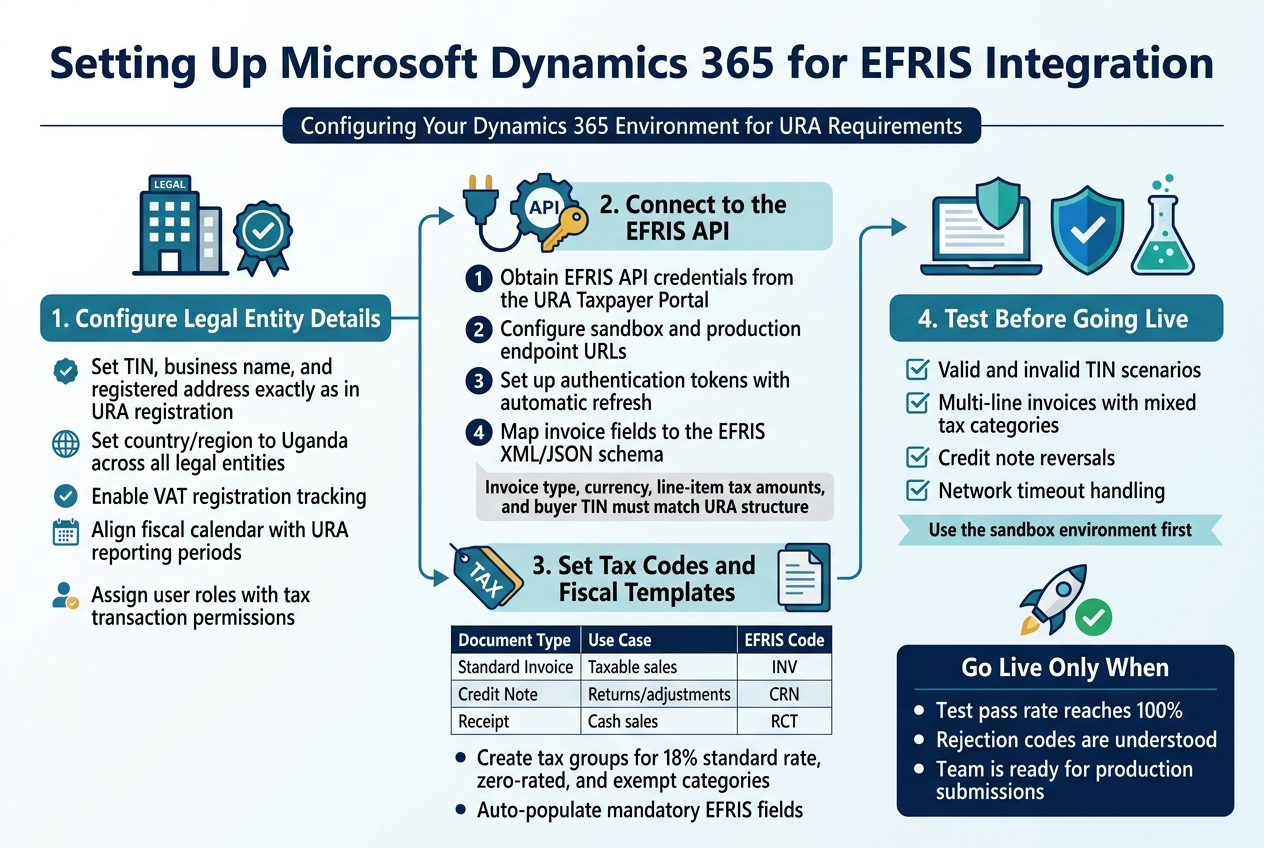
Configuring Your Dynamics 365 Environment for URA Requirements
Before connecting anything to EFRIS, your Dynamics 365 environment needs a solid foundation. Start by setting your company’s legal entity details — TIN, business name, and registered address — exactly as they appear in your URA registration. Any mismatch here will cause submission failures down the line.
Key configuration steps:
- Set the country/region to Uganda across all legal entities
- Enable VAT registration tracking under the tax parameters
- Configure your fiscal calendar to align with URA reporting periods
- Assign user roles with appropriate tax transaction permissions
Connecting Dynamics 365 to the EFRIS API Seamlessly
The EFRIS API is URA’s gateway for real-time invoice submission and verification. Dynamics 365 connects to this API through a middleware layer or a certified connector — something Othware Uganda, an official Microsoft partner, specializes in deploying for businesses across the region.
To get the connection running:
- Obtain your EFRIS API credentials from the URA Taxpayer Portal
- Configure the endpoint URLs (sandbox first, then production)
- Set up authentication tokens with automatic refresh logic
- Map your Dynamics 365 invoice fields to the EFRIS XML/JSON schema
This mapping step is critical. Fields like invoice type, currency, line-item tax amounts, and buyer TIN must align perfectly with URA’s expected data structure for successful electronic fiscal receipting.
Setting Up Tax Codes and Fiscal Document Templates
Tax codes in Dynamics 365 need to mirror Uganda’s VAT structure — 18% standard rate, zero-rated, and exempt categories. Create separate tax groups for each and link them to the correct EFRIS document types.
| Document Type | Use Case | EFRIS Code |
|---|---|---|
| Standard Invoice | Taxable sales | INV |
| Credit Note | Returns/adjustments | CRN |
| Receipt | Cash sales | RCT |
Build fiscal document templates that auto-populate mandatory EFRIS fields, cutting down manual entry and reducing errors.
Testing Your Integration Before Going Live
Never skip the sandbox phase. URA’s EFRIS test environment lets you submit dummy invoices and verify responses without affecting live records.
Run tests covering:
- Valid and invalid TIN scenarios
- Multi-line invoices with mixed tax categories
- Credit note reversals
- Network timeout handling
Only move to production once your test pass rate hits 100% and your team understands how to handle any rejection codes EFRIS sends back.
Automating Invoice Generation and Submission to URA
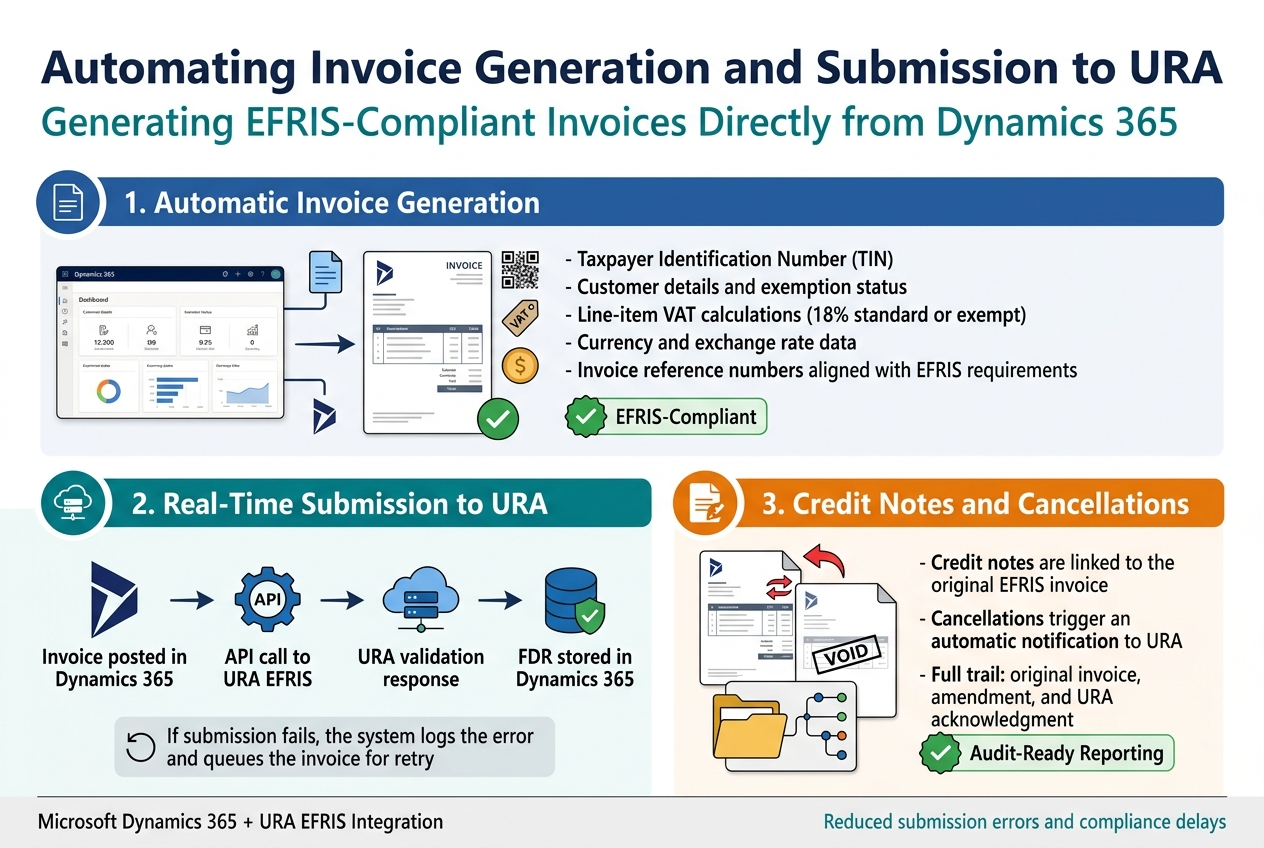
Generating EFRIS-Compliant Invoices Directly from Dynamics 365
When a sale is recorded in Dynamics 365, the system can automatically pull all the required fields — taxpayer details, item descriptions, VAT amounts, and QR codes — and format them to meet URA EFRIS standards. No manual re-entry. No switching between systems.
Key fields captured automatically include:
- Taxpayer Identification Number (TIN)
- Customer details and exemption status
- Line-item VAT calculations (18% standard or exempt)
- Currency and exchange rate data
- Invoice reference numbers aligned with EFRIS requirements
With the right EFRIS setup on Microsoft Dynamics, your finance team stops worrying about whether an invoice is compliant before it leaves the door — the system handles that check automatically.
Automating Real-Time Invoice Submission to URA
Once an invoice is generated, Dynamics 365 can push it directly to the URA EFRIS portal through an API connection — in real time, at the point of posting.
Here’s how that flow typically works:
| Step | What Happens |
|---|---|
| Invoice posted in Dynamics 365 | Data is packaged in EFRIS-required JSON format |
| API call to URA EFRIS | System sends invoice to URA servers |
| URA validation response | EFRIS Fiscal Document Reference (FDR) returned |
| FDR stored in Dynamics 365 | Linked to the original transaction for audit purposes |
This automated invoice submission to URA removes the manual upload step entirely. Teams at companies like those supported by Othware Uganda, a trusted Microsoft partner for Uganda, see dramatic reductions in submission errors and compliance delays after going live with this integration.
If a submission fails — say, due to a connectivity issue — the system logs the error and queues the invoice for retry, keeping your compliance status intact without manual intervention.
Handling Credit Notes and Cancellations Within the System
EFRIS compliance doesn’t stop at original invoices. Credit notes and cancellations have to be reported to URA just as rigorously.
In Dynamics 365:
- Credit notes are linked to their original EFRIS invoice and submitted with the correct reversal codes
- Cancellations trigger an automatic notification to URA before the transaction is voided
- The system maintains a full trail — original invoice, amendment, and URA acknowledgment — all in one place
This makes EFRIS audit-ready reporting straightforward because every adjustment is documented, timestamped, and tied back to an approved URA reference.
Maintaining Accurate Records and Audit-Ready Reporting
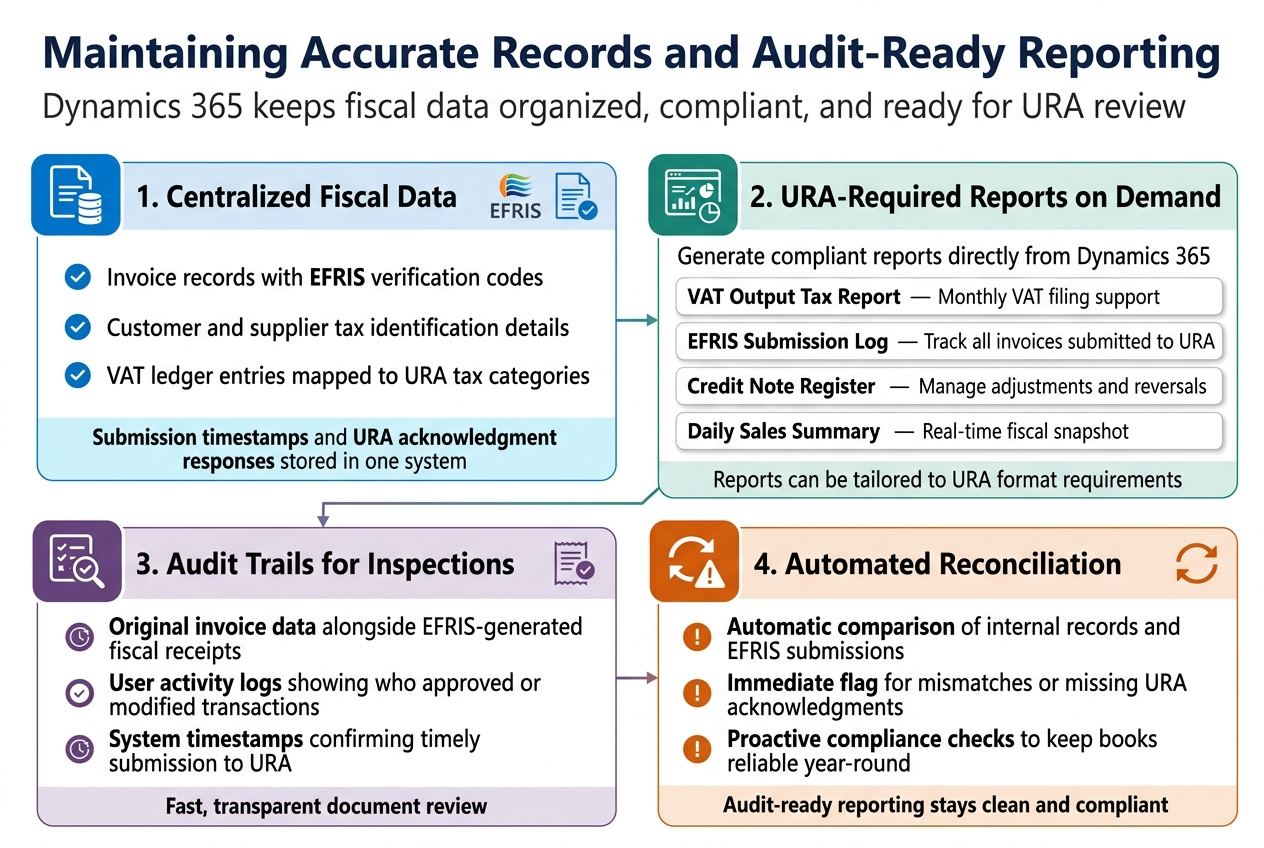
Centralizing All Fiscal Data for Easy Access and Review
Microsoft Dynamics 365 pulls all your transaction data — sales invoices, credit notes, tax records, and EFRIS submissions — into one unified system. No more digging through spreadsheets or chasing down paper receipts before a URA inspection.
Key data points stored centrally include:
- Invoice records with EFRIS verification codes
- Customer and supplier tax identification details
- VAT ledger entries mapped to URA tax categories
- Submission timestamps and URA acknowledgment responses
This single-source-of-truth approach makes reviews faster and far less stressful for your finance team.
Generating URA-Required Reports Directly from Dynamics 365
Dynamics 365 comes with customizable reporting tools that your team can configure to produce URA-compliant reports on demand. Whether you need a VAT summary, a transaction register, or a reconciliation report, the system can produce it without manual data extraction.
Common reports your team can generate:
| Report Type | Purpose |
|---|---|
| VAT Output Tax Report | Monthly VAT filing support |
| EFRIS Submission Log | Track all invoices submitted to URA |
| Credit Note Register | Manage adjustments and reversals |
| Daily Sales Summary | Real-time fiscal snapshot |
With Othware Uganda, an official Microsoft partner, these reports can be tailored to match URA’s exact format requirements, reducing the back-and-forth during filing periods.
Using Audit Trails to Prove Compliance During Inspections
Every action taken in Dynamics 365 is logged — who created an invoice, when it was modified, and when it was submitted to EFRIS. This audit trail is your best defense during a URA inspection.
During an audit, you can quickly pull:
- Original invoice data alongside EFRIS-generated fiscal receipts
- User activity logs showing who approved or modified transactions
- System timestamps confirming timely submission to URA
This level of transparency turns a potentially tense inspection into a straightforward document review.
Scheduling Automated Reconciliation to Prevent Discrepancies
Manual reconciliation is where errors creep in. Dynamics 365 lets you schedule automatic reconciliation runs that compare your internal records against EFRIS submission data.
If a mismatch appears — say, an invoice that didn’t receive a URA acknowledgment — the system flags it immediately so your team can act before it becomes a compliance issue. This proactive approach keeps your EFRIS audit-ready reporting clean and your books reliable year-round.
Keeping Your Compliance Strategy Future-Proof
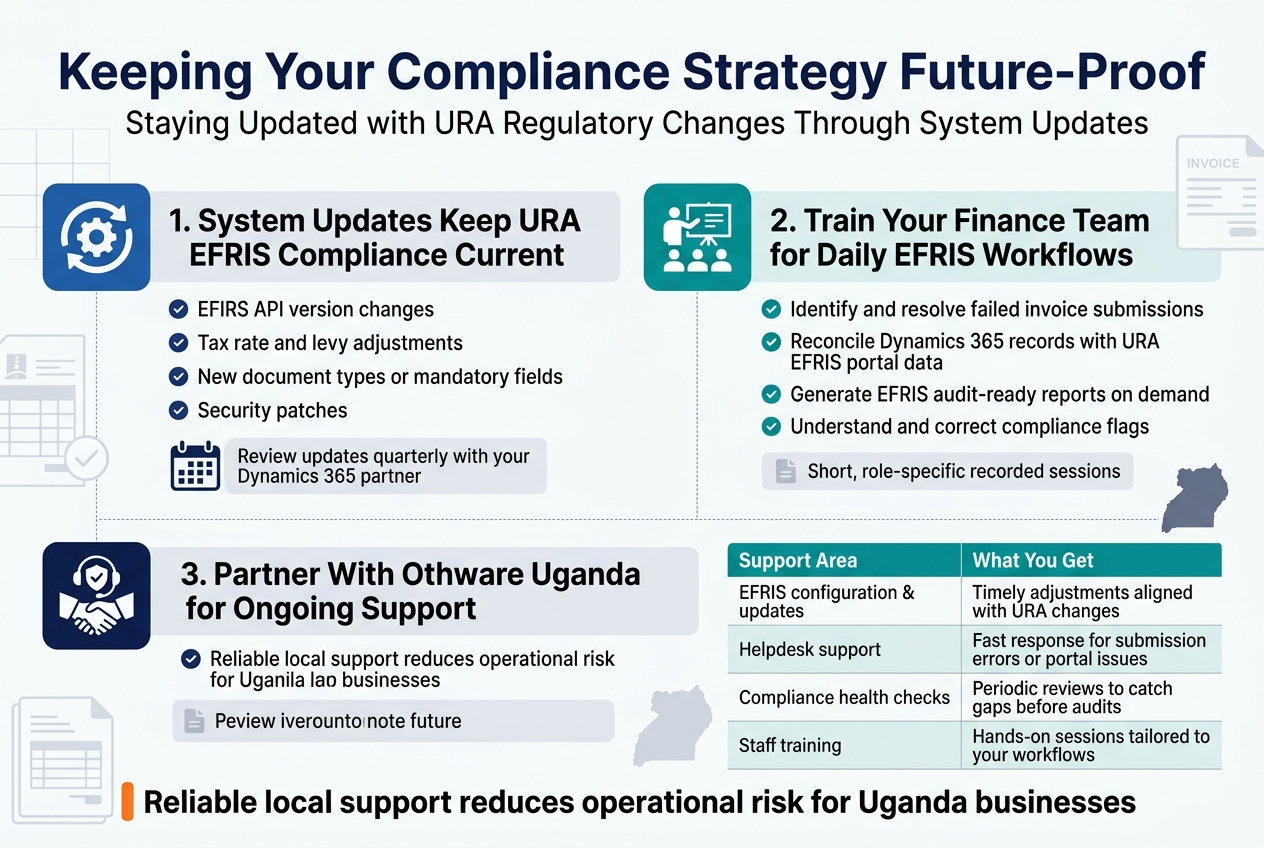
Staying Updated with URA Regulatory Changes Through System Updates
URA’s EFRIS requirements don’t stand still — regulations shift, API specifications get updated, and compliance deadlines change. Microsoft Dynamics 365 handles this through regular system updates that your implementation partner pushes to your environment, keeping your URA EFRIS compliance posture current without disrupting daily operations.
Key areas covered by system updates include:
- EFRIS API version changes — ensuring your invoice submission pipeline stays connected to URA’s latest endpoints
- Tax rate and levy adjustments — automatically reflected in transaction calculations
- New document types or mandatory fields — added to your invoice templates before deadlines hit
- Security patches — protecting the integrity of fiscal data flowing to URA
Scheduling regular update reviews (quarterly at minimum) with your Dynamics 365 partner keeps surprises away during URA audits.
Training Your Finance Team to Maximize Compliance Efficiency
Technology only delivers results when the people using it know what they’re doing. Your finance team should be comfortable with:
- Identifying and resolving failed EFRIS invoice submissions before they pile up
- Reconciling Dynamics 365 records with URA’s EFRIS portal data
- Generating EFRIS audit-ready reports on demand without IT support
- Understanding what triggers a compliance flag and how to correct it
Practical, role-specific training — not generic ERP walkthroughs — makes the biggest difference. Short, recorded sessions focused on daily EFRIS workflows help new staff get up to speed faster and reduce dependency on workarounds.
Partnering with Othware Uganda, the Certified Dynamics 365 Implementer in Uganda, for Ongoing Support
Getting the Microsoft Dynamics 365 EFRIS integration right from day one matters, but so does having reliable support after go-live. Othware Uganda, the official Microsoft partner for Uganda, brings deep local knowledge of URA’s EFRIS framework combined with certified Dynamics 365 expertise.
Working with Othware means:
| Support Area | What You Get |
|---|---|
| EFRIS configuration & updates | Timely adjustments aligned with URA changes |
| Helpdesk support | Fast response for submission errors or portal issues |
| Compliance health checks | Periodic reviews to catch gaps before audits |
| Staff training | Hands-on sessions tailored to your workflows |
For businesses operating in Uganda, having a local partner who understands both Dynamics 365 ERP compliance in Africa and the specifics of Uganda Revenue Authority EFRIS requirements removes a significant operational risk from your plate.
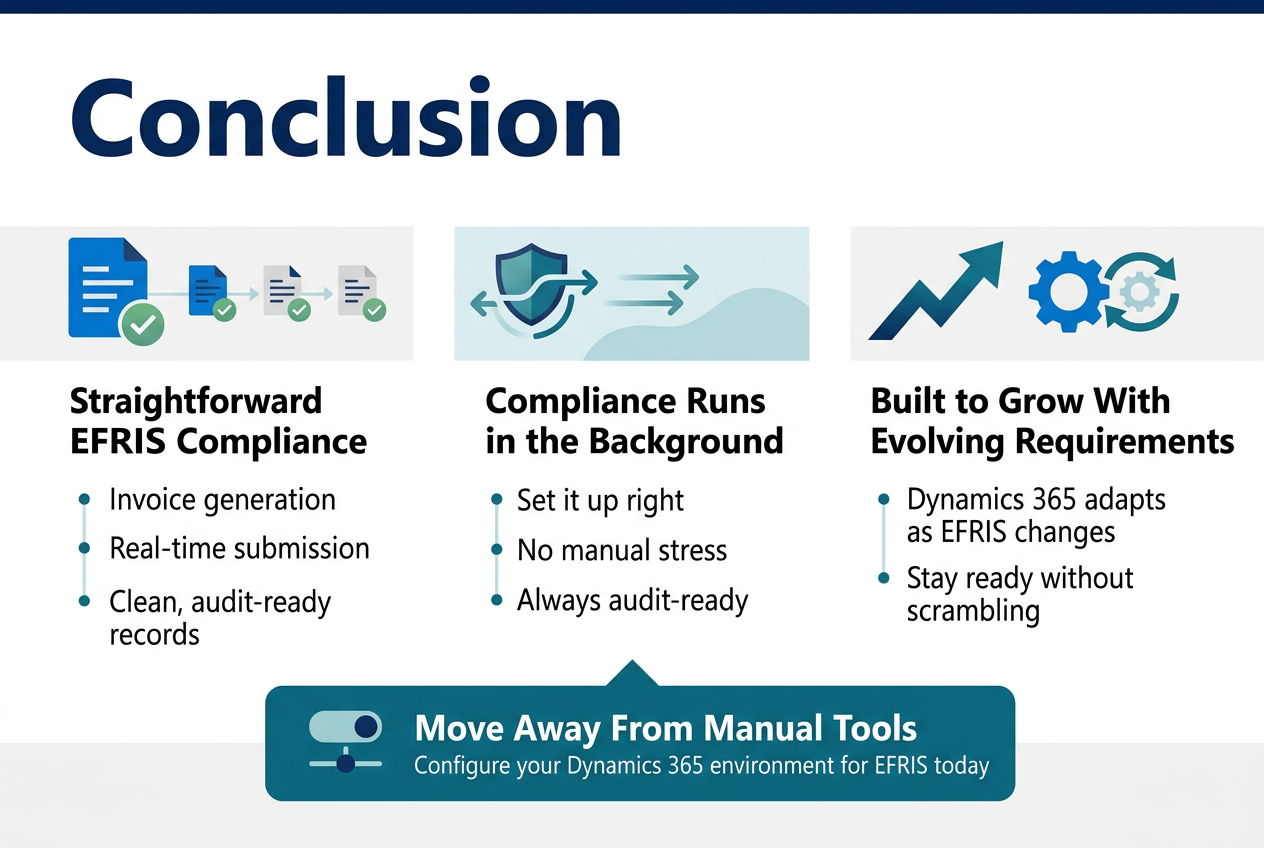
Staying on top of URA EFRIS compliance doesn’t have to feel like an uphill battle. Microsoft Dynamics 365 gives businesses a straightforward way to handle everything from invoice generation to real-time submission, all while keeping records clean and audit-ready. When your system is set up right, compliance stops being a stressful chore and starts running quietly in the background, the way it should.
The best part? As EFRIS requirements evolve, Dynamics 365 grows with you, so you’re not scrambling to catch up every time something changes. If your business is still managing this process manually or patching together outdated tools, now is a great time to make the switch. Get your Dynamics 365 environment configured for EFRIS today and take compliance off your list of things to worry about.

Tech Evangelist and Business Developer.
I love connecting with nature